/10
Playtime
Steam reviewers played Godhood for 32h on average (460 reviews): 40h positive, 8h negative.
AI Insights
Pros
- Deep systems with many playstyles
- High replayability
- Colorful, funny presentation
- Fun to watch town grow
- Scales from casual to hardcore
- Devs greatly improved game post-launch
Cons
- Misleading title, not a god game
- Mobile/browser level production value
- Combat is random auto-battler
- No real religion customization
- Only three disciple tasks per day
- Feels overpriced for its content
Target playerbase
- Strategy and management fans
- Auto-battler fans
- Fans of Renowned Explorers
- Both casual and hardcore players
Recommendations





About Godhood
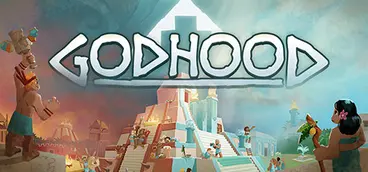
Create your Religion, raise your Disciples, and guide them to bring you glory! Inspire growth in your Disciples so they may challenge the false gods and convert their followers. Defeat your rivals, and become the One Truth!
Godhood scores 6/10 on SteamScore (Mostly Positive), calculated from 1,009 Steam user reviews.
FAQ
Frequently asked questions about Godhood
When was Godhood released?
Godhood was released on Aug 11, 2020.
Is Godhood free to play?
No, Godhood is a paid game. It costs $5.39 on Steam (80% off).
Does Godhood support multiplayer?
Godhood does not support multiplayer.
Does Godhood support VR?
Godhood does not support VR.
Does Godhood support cross-play?
Godhood does not support cross-play.
Who develops Godhood?
Godhood is developed by Abbey Games.
Is Godhood worth buying?
Godhood scores 6/10 on SteamScore (Steam: Mostly Positive), based on 1,009 Steam user reviews.
What games are similar to Godhood?
Games similar to Godhood include Cult of the Lamb, Dominions 5 - Warriors of the Faith, Dominions 4: Thrones of Ascension, Dominions 6 - Rise of the Pantokrator and Honey, I Joined a Cult.
How many FPS does Godhood get on Steam Deck?
Godhood is not supported on Steam Deck (rated Unsupported by Valve), so there is no average FPS data for it.
Is Godhood available on Linux?
Godhood is not natively available on Linux, but it may still run via Proton.